Save the current page
Add the tool, article, or service you are viewing to a personal directory category and find it quickly later.
Save the current page, park a whole window of tabs, and open Lighthouse on every new tab. Stop copying links repeatedly and keep useful research within reach.
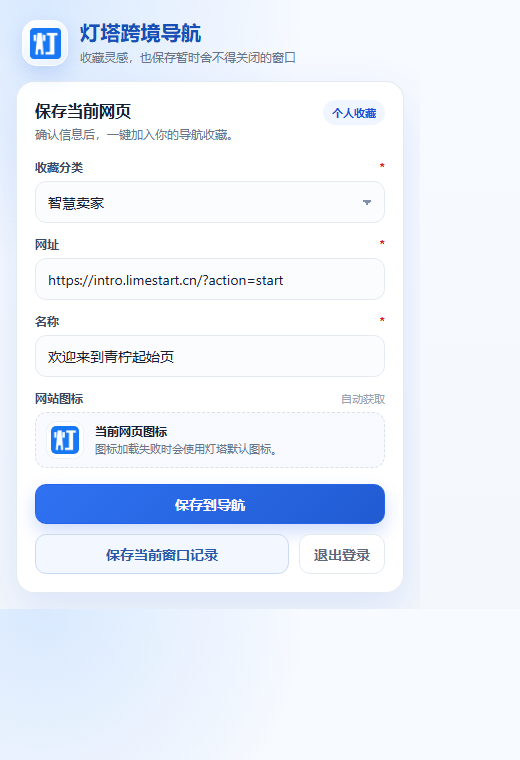
Designed for the page saving, tab parking, and quick-access tasks that global sellers handle every day.
Add the tool, article, or service you are viewing to a personal directory category and find it quickly later.
Save every tab you are not ready to close in the current window—ideal for product and competitor research.
Open Lighthouse automatically in a new tab so everyday resources are always one step away.
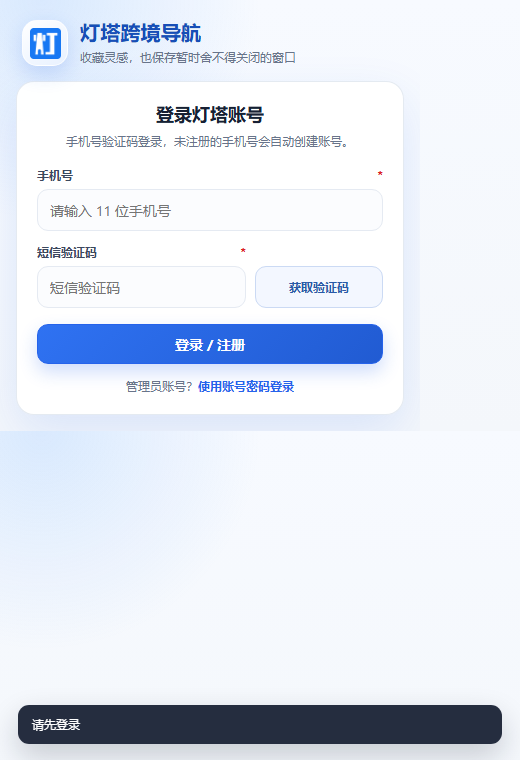
Signed-in administrators can add the current page to the public directory with a shorter publishing flow.
Page text is processed only after you explicitly request translation, useful for overseas platform and vendor pages.
The official ZIP works with Chrome, Edge, and most desktop browsers built on Chromium.
Load the same ZIP using the methods below. Compatibility may vary by browser version and enterprise policy.
Use the latest stable version and load it from the Extensions page.
Open Manage extensions and allow extensions from other sources.
Other Chromium-based browsers can try the same unpacked-install workflow.
The package does not auto-update. Download the latest version from this page when upgrading.
Permissions are limited to saving, tab parking, new tabs, and requested translation. The extension does not scan your entire browsing history in the background.
This release is distributed as an official ZIP and uses the browser’s “Load unpacked” feature. Developer mode does not let the extension bypass browser permissions.
Select the extracted folder that directly contains manifest.json, reload it from the extension manager, and pin it to the toolbar if needed.
Download the newer package here, replace or reselect the extracted folder, then click Reload in the extension manager.

Install Lighthouse Browser Bookmark for free and start with your next new tab.